
- Qualcomm Launches Snapdragon 4 Gen 2 Mobile Platform
- AMD Launches Ryzen PRO 7000 Series Mobile & Desktop Platform
- Intel Launches Sleek Single-Slot Arc Pro A60 Workstation Graphics Card
- NVIDIA Announces Latest Ada Lovelace Additions: GeForce RTX 4060 Ti & RTX 4060
- Maxon Redshift With AMD Radeon GPU Rendering Support Now Available

Social & RSS Feeds
Latest Videos



Latest News
eVGA e-GeForce 7900GS KO
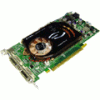

by Rob Williams on June 18, 2007 in Graphics & Displays
If you are not looking for the highest-end GPU on the market but still want one with great performance at an even better price, the 7900 GS might be right up your alley. It fell slightly behind a 7900 GT, but has the overclocking headroom to make up for it.
Page 1 – Introduction
Gamers. They want to do what they do best, without having to take out a small loan to do it. Of course, I am exaggerating, but when top-end GPU’s cost upwards of $500 – $800, it does make you consider some ridiculous things. Luckily, for gamers on a budget there are many other options available, one of which we will be taking a look at today.
NVIDIA launched their 7900 GS series late last year alongside their slightly beefier 7950 GT cards. At that time, 7900 GS cards retailed for an average of ~$200. Given the normal progression of things, it has since gone down in price to settle closer to $150. Some e-tailers offer even lower prices if you take advantage of mail-in-rebates.
The immediate question is, should you opt for the 7950GT which retails for only $50 more? Considering that many who are looking for a lower-end card are on a strict budget, then probably not. While I no longer have a 7950GT card to test with, I do have the next best thing, a 7900GT. Though it’s easier to find 7950GTs for sale, we are simply using that card as a basis for comparison.
Closer Look
The stock speeds of the 7900 GS are 450MHz on the core and 1320MHz on the memory, but eVGA’s KO version utilizes speeds of 500MHz and 1380MHz respectively. It utilizes a 256-Bit memory bus and also 256MB of GDDR3. By comparison, eVGA’s own 7950 GT offers clocks of 560MHz on the core and 1450MHz on the memory. That card also uses a 256-Bit memory bus width but includes 512MB of GDDR3 for those very intensive games. In addition, the 7900 GS uses 20 pixel pipelines while the 7950 GT has 24.
eVGA also offers another version of the same card that includes HDCP support, but that is the only difference. It clearly states support on the box, and in the product name.

For those looking for a bundled game, you will have to look elsewhere, as there is really nothing here in way of cool extras. Included is the software, manual, HDTV cable, molex to PCI-e power converter, S-Video cable and two VGA to DVI adapters.

The card utilizes a common heatsink design that covers both the GPU core and the memory chips. Air is pushed out the back of the card with help of the small non-LED fan.


On the back you will find dual DVI-I ports and also a video out. If your monitor doesn’t have a DVI port, you can use one of the included DVI to VGA adapters.

The copper cooler consists of numerous fins, and this is where all of the warm air will be escaping. It’s a modest cooler, but this card doesn’t push as much heat as the big boys.

There is nothing incredibly distinctive about the back of the card, but should you want to install a different GPU cooler, you can see the layout of the holes.

If you, like me, enjoy performance numbers more than looking at the card itself, then you are in luck. Head on over to the next page.

Support our efforts! With ad revenue at an all-time low for written websites, we're relying more than ever on reader support to help us continue putting so much effort into this type of content. You can support us by becoming a Patron, or by using our Amazon shopping affiliate links listed through our articles. Thanks for your support!

Rob Williams
Rob founded Techgage in 2005 to be an 'Advocate of the consumer', focusing on fair reviews and keeping people apprised of news in the tech world. Catering to both enthusiasts and businesses alike; from desktop gaming to professional workstations, and all the supporting software.


