Date: August 29, 2007 - Author: Greg King
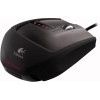
Looking for the ultimate gaming mouse? Logitech's latest G9 offers a lot... and then some. Included is a switchable body, color-changing LEDs, 3200 DPI capabilities, MicroGear scroll-wheel, braided cable and much more. The question: Is it worth your $99?
If you were to ask me to jot down the first word that comes to mind when someone brings up Logitech, it would most certainly be prolific. There aren't many peripheral manufacturers in business who can match the product refresh cycle that Logitech seems to maintain quarter after quarter. With that said, the same company that has built a strong following in the gaming market with their stable of "G" series hardware was at the center of quite ruckus when earlier this month, pictures of their updated gaming mouse and keyboard surfaced on the 'net.
In a thread in our forums, we even discussed whether or not Logitech would really move away from their tried and true kidney bean form and press on with the aggressive looking G9. Some thought it was initially a fake but sure enough, as many leaked pictures turn out to be, they were absolutely accurate.
In an attempt to cater to the fanatical gamer in us all, Logitech has abandoned the kidney shaped, ergonomically designed mouse of the past and instead decided to bring the radically shaped G9 to market. It would seem that outside of the new shape, Logitech has built a Frankenmouse using bits and pieces from their incredibly popular G series of mice. Back are the adjustable weights for those who like the feel of a weightier mouse. Gone are the wireless capabilities of the G7 because nothing pisses you off more than marking up a frag on account of your dead battery.
Having learned from the mistakes made on the original G7, Logitech has now added a forward thumb button to the side of the mouse. Not ones to discriminate, Logitech even took the stellar "MicroGear" scroll wheel found on the Revolution series of mice and threw it into the G9. Looking past the design differences, the G9 is honestly a mouse built out of the best features in most of Logitech's already terrific lineup of mice.
Not everything on the G9 is recycled technology however. The entire exterior body of the mouse can be switched out dependant on the preference of the user. Switching between the two provided shells gives the user a significantly different feel with one being wide and the other a bit more slender. The G9 also ships with a significantly more powerful laser engine underneath. Fully adjustable up to a ridiculous 3200 dpi, and all the way down to a glacier slow 200 dpi, the laser engine is more than accommodating to all types of gamers.
On paper, the Logitech G9 appears to be a no nonsense mouse geared specifically for gamers. Let's look a bit deeper to see if this mouse is more than just an edgy appearance and borrowed features.
In true Logitech form, the G9's packaging looks almost identical to every other mouse that we have reviewed from the company. With an opened center, we can see the G9 encased in its plastic shell. At the bottom, we can see the Windows Vista Logo. This might interest those of you who are running the operating system, however, in the review; we are using the G9 on a XP desktop.
Opening the box up, we can see the additional grip that comes included. As we stated earlier, one grip provides the user with a wider mouse while the other is a bit more slender. It should be mentioned that both grips are made out of different materials. The wide grip has a satin finish to it, supposedly to add to the comfort of the user when in use. The slim grip is coated with a "DryGrip" material which is suppose to help reduce the feel of a sweaty palm in long gaming sessions.
Like all Logitech mice, the G9 comes with a manual to help the user get quickly acquainted with their newest purchase. Also included, and not found in all Logitech mice, is a set of eight weights. These can be used to add an exact weight and feel to the mouse, dependant on the user's needs or preferences. There are a total of four 4g weights and four 7g weights, giving the user the ability to add as much or as little as the want. There are four spots on the mouse itself to add up to 28g of addition weight to the back end of the G9.
The packaging and accessories are not too exciting, so let's jump right into a look at the mouse itself.
Once we have the G9 out of the packaging and on our bench, it takes little time for us to actually get hands on experience with the mouse. Logitech has been known for a long time for their ergonomically designed, kidney bean shaped mice. While the G9 isn't the first mouse to depart from this tried and true, not to mention quite comfortable, shape (the Revolution accomplished this last year), the newest gaming mouse from Logitech certainly caught our attention.
The cord is similar to the one found on the G5 gaming mouse we reviewed last year. To help reduce friction between the cord and the desk, Logitech has again chosen to include a braided cable. This not only looks and feels solid, it actually slides across our smooth surfaced bench. Whether or not this is any real benefit is obviously up to the user. We liked the look and feel of the cord and felt that it added a bit more class to an already solid looking mouse, but I honestly couldn't tell any difference between the standard plastic coated cable the braided one on the G9.
The back end of the G9 shows off one of the most radically different designs of the mouse itself. With its sharp edges and its recessed bottom half, the feel of the G9 is significantly different than that of any of the other Logitech mice we have worked with to date... and there's been a lot of them.
The scroll wheel and buttons of the G9 are also radically different than those found on virtually all other Logitech mice. Instead of the smooth rounded feel of the past mice, the G9's buttons are rounded out to provide a comfortable place for our fingers to get their 1337 twitch on. The scroll wheel was borrowed from the Revolution and is a welcomed addition to any mouse Logitech feels like putting it on.
With a button on the bottom that allows us to switch between "ratchet mode" and "hyper fast mode," the G9 gives us the ability to feel the click to switch weapons in a game as well as smoothly move through multiple pages of a document at once. While I love this use when switching between games and productivity applications, I don't realistically see many gamers switch between the two in the middle of a game as it requires you to physically lift the mouse and press the button on the bottom. Also, just under the left mouse button is the DPI setting switch.
Here's a closer look at the scroll wheel. It's got a stylish design to it with silver sides and a textured rubber middle.
The bottom of the mouse holds even more features. The most notable feature is the laser eye. This is what gives the G9 the ability to reliably and realistically translate our movements into cursor movements. Just above the eye in the pictures, we can see a small rectangular button. This allows the user to quickly switch between up to 5 saved profiles with a simply press of the button.
To the right of the eye there is another button that allows the user to switch between the two available scroll modes. All along the outside of the mouse are polytetrafluoroethylene feet (say that one a few times quickly) that allow the G9 to slide effortlessly across most surfaces. To test this out, I used our fUnc mousepad, a favorite around the Techgage labs.
One nice thing about these feet is that they are supposedly user replaceable and can be removed with the help of a small screwdriver thanks to tiny groove that along each foot. Should you need to replace the feet, we are told that you can purchase them from Logitech's website.
On the back, there is a large button. By pressing this and rotating the grip forward, the grips can be exchanged. I personally like the wider grip but everyone is different and while Logitech is marketing the slimmer version as the precision oriented gaming grip, I found that I died with the same frequency using both the wide and the slim grip. Once again, personal preference trumps everything else when deciding on a grip.
Now for a little walk around the G9 in pictures. Notice the slim grip's Logitech logo on the back is grey while the wide grip has a red logo. There are other differences such as the slanted ridges along the sides in the back to give the G9 a faster look when the slim grip is used.
Just behind the DPI switch is a small row of LED lights. These signify which of the 5 available profiles are in use and the color of the lights can be changed as well. Unlike most products with changeable LEDs, the G9's lights run the entire spectrum of colors and fortunately for us, are not limited to a select handful. While there are many different colors to choose from in the Set Point software, the LEDs themselves don't seem to be noticeably different from one color to the next when going from, say, a light pink to a lighter pink. Regardless, the mouse still offers far more lighting options than anything else available at the moment and if there is anything that gamers love, its lights.
With that, a look at the SetPoint Pro software is up next.
Included with any programmable hardware, Logitech has once again made SetPoint the program to control their latest gaming peripheral. The following screens are of the setup process but before we get into the software itself, the installation is pretty much a game of clicking next until the software is installed.
There really isn't anything to the installation of the software and because of this; there really isn't any reason to explain the following pictures. One thing that I would like to point out is that I do not ever install the desktop messenger. Depending on your point of view, this either helps keep you up to date on your SetPoint software, or it completely bothers you when you don't care to be bothered. I happen to fall into the latter category and because of this; I chose not to install the messenger. Aside from that, like we said it's simply clicking next until you're done.
That section really didn't need to be included but for the sake of a complete review, we figured it might as well be shown. With that out of the way, we can now get into the actual functionality that the software brings to the G9.
Once we open up SetPoint, the program will automatically find all attached Logitech devices capable of working with the program. In our case, the only device installed just so happened to be the G9 itself so fittingly, we choose to configure it.
On the main page, there are a variety of options running down the left side of the screen. If you notice, the body of the page also has these same options available to open up individually by clicking the edit button.
Starting at the top and working our way down, the first section we come to is the "Basics" area. In this section we have the ability to setup a unique profile, assign it a name and description, assign a profile number to it (this allows us to quickly change profiles on the fly with the button on the bottom of the mouse) and also assign a color that will correspond to the color of the LEDs on the mouse. I wasn't kidding about light pink.
In the "Buttons" section, we can assign each button on the mouse a specific function.
The next section is the "Pointer" section. Here we can setup the varied DPI settings and what the number will be at each different DPI level. There is also a polling rate option.
On the "Scrolling" page, there are sliders to control the speed that your mouse will scroll up and down a page.
In the profile manager, you can switch around the profiles that are stored in the G9's internal memory. This is a wonderful feature as it allows you to take your profiles with you, stored on your mouse, to any PC that you might sit down at. You can store up to 5 custom profiles on the G9 and countless others on your PC should you get the urge to go on a profile creating bender all night.
In the SetPoint software, there is also a macro editor. For anyone who repeatedly hits the same keys and buttons, this can save you an incredible amount of time in a game. I use macros for buying gear in Counter-Strike. It beats manually doing it each time a round starts.
There are also device and program options. This simply allows you to check for updated firmware, restore the defaults, contact Logitech support, check your Set Point version number and schedule automatic updates.
Testing and our final thoughts are up next.
With the G9 being a gaming mouse, there really isn't a lot to do with it to test it's capabilities out other than, well, game. To do this, we played with the G9 for a few days in a couple of our favorite games. We played Counter-Strike: Source, Ghost Recon: Advanced Warfighter and Command and Conquer 3. Our angle on including a RTS game like C&C is simple. Not everyone plays FSP games. Granted, most do and this is who this mouse is primarily targeted towards. I will officially admit though, I am a member of the church of C&C. It's been one of my favorite games since the Win95 days and not much has changed since.
In CS: S, we could really appreciate the conveniently placed DPI switch. It was nice to enter a room with the DPI set to a higher than normal setting and in my case, spray and pray. Conversely, it was nice to sit from a bit farther back with by Bullpup and lower the DPI to get precision shots in on anyone stupid enough to stand still long enough for me to get in a lucky shot.
In GRAW 2, we have been conveniently working on our AGEIA PhysX evaluation in the game and decided that it was as good a time as any to play using the G9. Like Counter-Strike, the controls of the mouse were appreciated in the games frequent firefights. The new shape and design of the mouse was actually comfortable in long gaming sessions.
I don't know how much I could use it on my main machine, the one that I work on daily, as the older style of the Logitech line allows for a more relaxed grip where the hand almost lays on the mouse. With the G9 however, there is more of an on edge, precision gripping that I found myself using in the FPS games.
In Command and Conquer 3, aside from bumping the DPI way up to get the cursor all the way across the 24" Dell in a reasonable amount of time, there wasn't a whole lot that the G9 offered that the other mice we have laying around don't. It's not that the G9 is bad in these types of games, because its not. It's simply not as far above our existing mice as it is in FPS games.
Logitech has effectively taken an incredible lineup of mice and combined their best features into one amazing mouse and marketed it right square at gamers everywhere. Combining the upgraded laser eye, the Revolution's scroll wheel and the weights and braided cord of the G5, the G9 is sure to be a hit with most anyone that uses it.
With that said though, I can say with almost complete certainty that the redesigned shape won't be for everyone. There are going to be people who will absolutely hate this new design and that's fine. A mouse with a MSRP of $99.00 (US) will never be an everything to everyone kind of mouse. This is a niche mouse manufactured for a niche audience.
Now, we covered the good and the bad and in our honest opinion, this mouse utterly kicks major tail. We know there are mice out there with a higher DPI but who needs 2000 DPI, let alone the 3200 that the G9 provides? I love the braided cable and I love the removable grips. I would like to see more grips produced in the future, perhaps one with more of an area for the palm. Other than that however, it's safe to say that the Logitech G9 has earned an Editor's Choice.
While the price of the mouse is a bit much (it's difficult for me to recommend to everyone any mouse that sells for $100) it's one of those times where the saying "You get what you pay for" can be said. Your paying for the ultimate gaming mouse on the market and because of that, you're going to pay a premium price. If you have the cash, and you're a die hard gamer, the G9 might not be a bad choice for your next gaming mouse. All things considered, the G9 from Logitech earns a 9 out of 10.
If you have a comment you wish to make on this review, feel free to head on into our forums! There is no need to register in order to reply to such threads.


Copyright © 2005-2008 Techgage Networks Inc. - All Rights Reserved.