Techgage logo

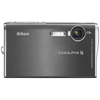
Nikon Coolpix S6 6.0MP Digital Camera

Date: August 17, 2006 - Author: Rob Williams - Editor: Matt Harris

We've taken a good look at a few Coolpix models in the past, but none were like this. The S6 is as sleek as they come, and can easily fit into any pocket for transport. Does it's small size detract from it's image quality?


Introduction

As mentioned in the intro, this is one camera unlike any we've taken a look at before. Sometimes that's a bad thing, sometimes it's a good thing. In the case of the oddly designed S4, it turned out to be a great thing. The "S" in S6 stands for Style, so it's clear why it's as sleek as it is. However, this is a rather small camera that's meant to fit into any pocket, so we are not going to be able to expect picture quality as we've seen with previous models.

The thing you will notice very quickly is that the lens does not protrude from the camera, like most others on the market. This is simply so that it could retain it's small form factor, and which is why I found the picture quality to not be top rate. I will get into that later though. As it is, this is one great looking camera. It could be even considered sexy. In fact, the TV promo for the S6 featured Kate Moss. So obviously, this is strictly for those who want a small camera for quick point and shoots, that won't tarnish the high-class look they are trying to accomplish.

The camera arrived in a gray box, as most of the recent Coolpix's do. Inside is software, warranty information and other pamphlets.

It's almost hard to capture in a picture how tiny this camera is. As you could imagine, due to it's size you are unable to use standard AA batteries, so they include a special one. It's similar to what we saw in our S4 review, and has the ability to last for quite a while. Good thing, because you don't want to have to worry about purchasing another one to store. I found that from the point of the battery being fully charged, I was able to take near 150 full res images, alongside 2 minutes of high-quality video. Not too shabby for a camera of this size.

On the top of the camera you can see a few buttons you'd expect, such as the zoom, on/off and shutter button. I quickly found out that such a small camera is not for me. The button to snap your picture is so small, that it's somewhat troublesome to use. I found myself having to push it with my fingernail more often than my finger. The zoom and on/off buttons were not too much of a problem though. If the picture button was protruding out of the top just a tad, it would be much easier to use.

Further Look

On the other end of the camera, we have a button that changes the camera to portrait mode on the fly. Nikon didn't include one of their gorgeous models with the review sample, so I didn't much pay attention to this feature. However, what it's designed to do is focus on the face more than anything else. This would be better used in brighter conditions, as the camera would have a more difficult time finding a face to focus on in a dark room. In addition to the portrait feature, one of the flash modes will shine a red light at your vict... subject prior to the flash. This is a sure fire way to get the best portrait shots with the S6.

The back of the camera is no doubt the most interesting. Anybody want a bright 3.0" LCD? Well here you have it. Seriously, this is a gorgeous screen, and one of the selling points of the camera. However, you will have fun trying to see what's on the LCD if you are shooting outside on a sunny day. Due to the lack of a viewfinder, you will be squinting a lot if you are outside.

Also on the back are the usual subjects. The wheel you see, is actually a rotary wheel. When you are in various menus, you can rotate it to select the option, rather than pushing up or down. Of course if that's what you prefer, the option is still available to you. The wheel was actually one of the cameras best points... very, very easy to use.

Underneath we reveal a tightly packed area. You can see the port for the USB cable, and also the slot for the battery and SD card.

In the end, I really enjoyed the look and feel of the S6. Some minor adjustments could be made to make things a tad easier, but overall I have no major complaints. Just bear in mind that this is a compact camera, so it's not supposed to feel like any other digital camera out there.

Specs, Picture Quality

The S6 has some decent capabilities, but again nothing is amazing. The lens is none other than a Zoom-Nikkor ED (5.8-17.4mm). I am unsure what ED stands for, however. Max digital zoom is 4x, and analog zoom is 3x. In addition, max aperture is f/3.0-5.4. The max image quality is JPG 2812*2112 (5,947,392 px). Video quality is also great here, with support for VGA 640*480.

Using the camera at the normal settings, I was impressed by the lush colors that the camera outputted. There are a few shortcomings though. While many of the outdoor pictures are crisp, some of them are over exposed. The lens has a fixed aperture also, which is another downside. In some of the outdoor pictures you will see below, many of them have great color, but have a lot of darker areas, whereas it was not actually as such when I took the shot. I have found that adding a +10% brightness on most of the outputted photographs helps. This could depend on your personal tastes however, and how high you have your monitors brightness to begin with.

The camera includes many modes, including most that we saw on the P3. Included was one of my favorites... the panoramic assist mode. I won't get into it in this review, but you can read the last few paragraphs of my P4 review to see what I am talking about, and why it's so cool.

Most of the images in the review were taken on a normal scene mode with automatic focus. However, at night time during a recent camping trip, I also took advantage of the night time portrait mode, which delivers some interesting affects. It lowers the shutter speed in conjunction with multiple flashes, which results in a little blurring, but cool output. Here is an example of this:

Other regular features are included here also, such as white balance, blur warning, best shot selector, exposure control and a self timer. As compact as the S6 is, it really does offer quite a feature set. Oh yes... it also features WiFi printer capabilities. I do not have a compatible printer however, so I was unable to give it a run.

Here are the rest of the results. All images can be clicked for their full resolution. However, only the first one uses the absolute top settings, the rest use the second highest.

Final Thoughts

This camera features many other options that I did not have time to get into, due to lack of total time with the camera. One great feature is the video quality, that can run at 30FPS at 640*480 resolution. I didn't upload a test video this time around, because the quality is identical to that of the P3. To see the video from that review, right click here and save as.

There's also an automatic mode that will detect the aspect of your shots, so you may end up with a vertical shot depending on what your subject is. Take that mini Eiffel Tower on the last page for instance. If you are taking a picture of something like that, or a person, the camera will assume that you will want the vertical aspect. I could not figure out how to turn this feature off, but I'm sure it can be done. Again, I didn't have as much time with this camera as I do with others, so it could have been in plain sight without me realizing.

If you have the camera on you and need to keep a mental note, you are able to record your voice without video. There's also a D-Lighting feature that helps turn darker photos light again, so they are more enjoyable to look at. That feature may as well have helped me with the above problem where I noted dark spots in pictures. This was one feature I did not realize until after the camera was out of my hands, however.

One of the best features about this camera is the fact that it includes a dock. You can plug it into your PC, and place the camera in it and grab pictures immediately. Whenever you plug the camera into the dock, it starts recharging. As far as I know, it even recharges while you are ripping the images off the memory card. If you place the dock on your desk, then it will even have more use, because you can scroll through the images on the camera, without draining your batteries. It's really a great addition.

In the end, I actually enjoyed using this camera, for what it was. It didn't deliver amazing photo quality, but for the small lens it is equipped with, it's still rather impressive. As noted in the intro, this is not designed really for an intermediate user, but rather a novice who wants a quick point and shoot camera. Or if you are an intermediate photographer, then this camera may still be for you. It really depends on what your needs are. If you are heading out to take pictures of the rain forest, this is not the camera to bring with you.

The S6 currently retails for around $300, and to me it is and isn't worth it. Like I said, it really depends on your needs and what you wish to use the camera for. If this camera is attractive to you, but don't want to slap over $300, you may want to consider the S5. It's essentially the same camera, only smaller due to it's 2 1/2" screen. It also retails for closer to $250.

If I were to go out right now and spend $300 on a camera, I would likely splurge an extra $50 and get a far better model, like the P3, which offers more features and better macro capabilities. But, that's not as easy to fit into your shirt pocket, if that's your goal ;-)

As it stands, I almost want to give the camera a 7 out of 10, but there are a few reasons why I feel an 8 is more reasonable. The camera is a small form factor for a specific reason, so I am not going to hold that against it. The picture quality is not as good as previous cameras we've reviewed, but that comes with the territory of being a smaller camera. $300 at that point seems like a high asking price for what the camera does. However, Nikon includes extras that other cameras don't seem to, such as a charger & battery, in addition to the dock. Those add-ons alone can run you up $50 with another camera purchase. So as it is, you get what you pay for. If you expect higher quality, I recommend checking out another model.

Discuss in our forums!

If you have a comment you wish to make on this review, feel free to head on into our forums! There is no need to register in order to reply to such threads.


Copyright © 2005-2008 Techgage Networks Inc. - All Rights Reserved.