Date: July 24, 2008 - Author: Rob Williams
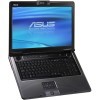
Does the idea of having Blu-ray capabilities on the go excite you? How about the idea of having 1,000GB worth of storage at the tip of your fingers? Or having a 1920x1200 resolution to keep the best possible work-flow? The ASUS M70Sa has those and a lot more, in a beefy 17" package.
Over the course of the past few months, my tastes in notebooks has changed. I've always been interested in big, powerful and great-looking notebooks, but when I dealt with two different 12.1" notebooks over the course of a few months, I realized just how amazing they can be. If you travel often, a smaller notebook is incredibly convenient. It's nice to walk onto a plane and know that the notebook will actually fit under the seat properly, and that you could use it during flight, comfortably.
Many still want or need larger notebooks, though, and DTR's are the way to go, especially if you use your notebook more than your desktop. But what does it take to become a proper DTR? For starters, a large screen and resolution would be nice, and at 17" / 1920x1200, this ASUS M70Sa hits the goal. Of course, you need to add sufficient hard drive space, and this notebook again delivers, offering a staggering 1TB, divided between two 500GB drives.
Toss in a fast processor, sufficient graphics, lots of memory, a Blu-ray drive, TV Tuner, lots of connectivity and great design... on top of a completely reasonable price, and we have a proper DTR.
If you take a look at our notebooks page, you'll notice a common theme... lots of ASUS-related reviews. Don't worry, even though I personally can stand by ASUS' notebook quality most of the time, we don't mean to stick to a single manufacturer. ASUS loves sending us the latest models to check out, and we love receiving them. In the months to come, we'll have reviews from both Dell, Gateway and hopefully others. I just thought this should be mentioned.
I was thrilled to receive the notebook I'm taking a look at here, because after reviewing smaller and underpowered notebooks, I finally received one that's huge, powerful and offers far more functionality than what I'd ever need. It's also one of the most expensive notebooks I've had here, at $2,399. Given all the features packed in though, it's actually happens to be a reasonable price, but I'll touch up on that later in the article.
The 'M' series from ASUS denotes 'Multimedia', which is why the M70Sa includes a 1080p-capable resolution and also a Blu-ray drive. Although this particular review sample doesn't include a TV Tuner, the model you purchase will. So if you happen to find the M70Sa on sale somewhere and it doesn't include one, leave it, then go find a place that's stocking a more recent model, unless of course, you happen to get a great deal, or don't want a tuner.
On the surface, the M70Sa somewhat resembles the M51S 15.4" notebook that I took for a spin this past April. That was a bit more modest though, and cost under $1,000. It still won me over with its design and the vast amount of features, however. We should be able to expect similar thoughts with the M70Sa.
One problem I had with previous ASUS notebooks, is that the webcam 'straps' (black rubber-bands) have the ability to be yanked off when rubbed against a certain way. I haven't experienced that with this particular notebook, but I've had it happen with the F8S, which has a similar design. Their implementation may have improved since that time, however.
Opening the lid will unveil most of what the notebook has to offer in way of key features. Included are some excellent Altec Lansing speakers, including a subwoofer underneath and also a robust touchpad, which is designed with the multimedia buff in mind.
When the 'Mode' is tapped, it will lock the touchpad and replace the functionality with the labels shown here. It's all straight-forward; tap a function to activate. Don't worry if you are sitting in bed and watching a movie, these labels light up so that you can see them.
On the following page, we'll continue our trip around the M70Sa, then dive right into some testing.
Along the top of the notebook, you'll find both a selection of buttons and status LEDs. The buttons included represent the performance mode, touchpad enable, color correction and media. The LEDs show relevant status information, the most important being the battery-life. The only button on the top-right-hand-side is for the power, which lights up with a white LED.
On the left-side of the notebook, a spot for an antenna can be found, for TV or FM radio, although an antenna is not actually included. Also here are two USB ports, a Firewire, memory card slot and the BD-ROM.
The right-side features an ExpressCard slot, WiFi enable, audio ports and two more USB ports.
The back features an AV/S port, HDMI, e-SATA, VGA, modem, LAN and a Kensington security lock. The AV/S port requires a separate accessory, which will convert S-Video or Composite video to something the notebook can understand. No adapter is included here, although future models may.
There doesn't seem to be a notebook today that doesn't include a webcam, and the M70Sa is no different. The resolution seems a bit low, though, at 1.3 megapixel, whereas competitors models are now offering in excess of 2.0 megapixels.
In way of accessories, a branded notebook mouse is included, along with the power adapter, cable tie, manuals, CD's, phone cord, monitor cloth and various other pamphlets.
The back shows off the many ventilation points as well as the subwoofer. Notebook sound is never going to (likely) compare to external speakers or headphones, but this is certainly one of the better ones I've touched in a while.
The overall design of the M70Sa is good, and nothing strikes me as requiring improvement. It's a large notebook and in turn offers a lot of functionality, including a full numpad. To add to it, the touchpad proved easy on the finger after a few hours of use, and the left and right 'mouse' buttons were equally easy to use. No complaints here, so let's head into a look at the installation and software.
Installation of the M70Sa was about as easy as it could be. After the first boot-up, I was required to enter my name, then choose some minor Windows Vista details, such as a wallpaper. After that, the computer took about ten minutes to finish setting up, after which I was left with the following desktop:
There is really nothing at all different between this any all of the other ASUS notebooks I've taken a look at. Most of the notebooks include the same applications and all include Norton Internet Security. Below, I show a screenshot of everything that is installed, straight after the first boot:
There is a LOT of software installed, and in some regards, it could be considered ridiculous. But ASUS makes up for it thanks to the fact that most of it is their software, and most of them are applications most people might actually find useful. It's Norton IS, P4P and Adobe Reader that some may choose to uninstall.
Here is a quick run-down of the included ASUS software and what it does:
| CopyProtect |
Allows you to lock certain hardware from being used, such as the DVD-Rom, external storage and also a network drive. Requires a password to lock and unlock.
|
| InstantFun |
Front-end media center. Similar to Windows Media Center, but lighter on features.
|
| LifeFrame |
Specialized web cam software, allows video capture and image capture. Includes fun accessories and filters.
|
| Live Update |
Updates the notebooks drivers, if available.
|
| Security Protect Manager |
Advanced security, allowing users to use their thumbprints to log on.
|
| Smart Login |
Allows login via web cam identification. While sitting at the login screen, the web cam will scan the face of the person sitting in its path and if the person matches to a user account, it will auto-logon, forgoing the need for a password.
|
| Splendid |
Color enhancement. Includes presets, but also allows creations of personal ones. Splendid is an integral part of ASUS' entire line-up of products, most notably their displays.
|
Below is a screenshot of both CopyProtect and InstantFun.
Next up, battery-life tests and performance testing.
Our testing methodology for notebooks differs quite a bit when compared to other products we regularly benchmark. Depending on the goals of the notebook, we choose our real-world tests carefully. If a notebook was built for business, for example, and included a lackluster integrated GPU, we wouldn't run gaming benchmarks.
Most of our benchmarks are real-world, but we do use SYSmark 2007 Preview as full system-suite benchmark, since it's thorough and delivers easy-to-understand results. Also, in our table below, the 'EFS' in our DivX benchmark stands for Experimental Full Search, an advanced algorithm that thrives on the SSE4 instruction set, which both the Hypersonic and M70Sa include, thanks to their Penryn-based processors.
|
Benchmark
|
ASUS U6E
|
ASUS M51S
|
Hypersonic AG2
|
ASUS M70Sa
|
| SYSmark 2007 Preview E-Learning VideoCreation Productivity 3D Overall |
122 97 133 127 119 |
86 93 100 93 93 |
156 134 120 144 138 |
151 125 146 143 141 |
| VirtualDub + DivX 6.7 Encode 720p Video w/o EFS Encode 720p Video w/ EFS |
221 s 393 s (SSE2) |
291 s 512 s (SSE2) |
188 s 218 s (SSE4) |
187s 219s (SSE4) |
| Adobe Lightroom Convert 100 RAW to JPEG |
333 s |
448 s |
271 s |
257s |
| HD Tach RW/3 Burst MB/s Average MB/s Latency |
116.2 MB/s 36.7 MB/s 18.7 ms |
196.8 MB/s 50.6 MB/s 16.2 ms |
116.5 MB/s 51.9 MB/s 14.9 ms |
172.6 MB/s 53.5 MB/s 18.1 ms |
The results seen here are fantastic, even compared to the also fast AG2 from Hypersonic. The HDD test results were superb and even Adobe Lightroom proved 14s faster than the AG2. Overall, great-looking results.
Given that the notebook is rather large, I didn't expect fantastic battery-life reports, but the M70Sa actually impressed me a bit. Playing a Blu-ray movie (Fifth Element), the notebook lasted a smidgen above 1h 45m. Not that impressive from a movie standpoint, but given how system-intensive high-definition video is, it wasn't bad at all.
The benchmark I often use to test for simulated work battery-life, SYSmark Mobilemark, refused to work without crashing, so I was unable to report on an accurate figure there. However, while spending time in the airport, I used the notebook a lot without AC power, and from what I estimate, 2h 20m - 2h 30m should be easily possible for regular workloads.
Because notebooks come in a wide variety of shapes and sizes, we don't benchmark games in the traditional sense, as we would with an actual gaming PC review or a review of a desktop graphics card. So, we don't report our average FPS, either. Instead, we load up four different titles and play through a selected intensive level and adjust the settings until we find one that makes the game fully playable (no lagging or outright stalls).
Our immediate goal is to run the game at the notebooks native resolution, and if we have to, then we'll lower it in order to make a game playable. Most often, games look and work great at native resolutions while using very low settings, but in this case, the games scaled well with the display, at lower resolutions, so I had no problem decreasing the display to 1400x1050 when needed (1680x1050 was not a supported resolution).
Below are reports from the four games tested, with both the actual screenshots of the settings used, and also a direct screenshot from the game to show the detail of those chosen settings.
Each gameplay screenshot has an FPS counter from FRAPS in the upper right-hand corner, which represents the FPS we saw at that exact moment, which might give you an idea of overall performance. We don't recommend judging real performance by that number, however, since 20FPS might be playable in one game, but not in another. So with that said, none of these settings were "barely" playable. All of them were 100% playable without any lag.
Half-Life 2: Episode Two
Call of Duty 4
Unreal Tournament III
Need for Speed: Pro Street
I have to admit, I expected a lot less from this GPU, especially at the native resolution. But, both Half-Life 2: Episode Two and Need for Speed: Pro Street ran just fine at 1920x1200, though with decreased resolutions. Call of Duty 4 and Unreal Tournament III proved to be a lot more intensive, so a lower resolution was required.
When a game is not ultra-demanding, native resolution might be possible, but games with intensive requirements enters the arena, you will need to decrease to 1400x1050, but not likely any lower. I should also mention that while these screenshots don't look that good, they look far better when actually running on the notebook. Given the fact that most monitors to run this resolution are 24-inches, and this is 17-inches... it's a very crisp experience.
That said, let's get right in my final thoughts on the next page.
The M70Sa is the seventh ASUS notebook that I've reviewed, and it continues the tradition of a ASUS' high-quality products. As I have mentioned in previous reviews, it's a rare occurrence when I receive an ASUS product and am left upset, and their notebooks are especially safe in that regard.
The M70Sa is one heck of a notebook, any way you look at it. Though it's not touted as a DTR, it very-well could be for anyone who wants to chuck their desktop. The important thing to note is that this is not designed for gaming. While we did get moderate performance from all four of our games, a beefier GPU would be desired for any serious gaming you plan on doing.
From a features standpoint, this notebook doesn't lack much at all. It includes a super-fast Intel T9300 Core 2 Duo at 2.5GHz and 4GB of RAM. The latter is a little odd since a 32-bit OS is pre-installed, so that's one gripe I have. It's understandable, however, since many would rather such an OS since 64-bit offerings could prove troublesome for certain hardware. Personally, I wouldn't hesitate to recommend an upgrade to 64-bit Vista. I've had far better luck with that than the 32-bit, in terms of stability.
If you happen to have a 64-bit Vista CD around, you could easily reformat using it, and then activate using the key that was included with the notebook... they are normally backwards compatible, and have been in all my personal tests.
Aside from the CPU and RAM, there is a staggering 1,000 GB worth of hard drive space. That figure personally throws me back, because it's truly amazing to picture that much space in a mobile product. When I bought my first notebook about three-and-a-half years ago, it included a 60GB hard drive, and at the time, I loved it. So to be able to fit 1TB worth of space in a notebook nowadays, is nothing short of incredible.
Performance-features aside, the notebook includes a gorgeous 17" monitor capable of 1920x1200, and while not the absolute crispest display I've laid my eyes on, it stands up there as one of the best I've used. Blu-ray movies look fantastic with bright colors and dark blacks and really sharp image quality. I watched the previously mentioned Fifth Element on it one evening and thoroughly enjoyed it.
There is also a wide-range of connectivity options here also. For networking, there is WiFi, using the Intel 4965AGN, as well as a modem and LAN port. Peripheral-wise, there are four available USB ports, one Firewire, an e-SATA, HDMI, VGA and a TV Tuner port. The HDMI is a nice touch, and I had the opportunity to test that feature out in a hotel earlier this month. I had absolutely no issue plugging the port into the TV (rather, the strip on the wall), and watch Face/Off with little issue. At first, I received a warning about an unencrypted link, but restarting WinDVD somehow fixed the problem.
I mentioned that this unit didn't include a TV Tuner, and I'm unsure why. However, after talking to ASUS, it seems that all such models will include one at retail. I believe I have a slightly older model, and probably an ES that was finalized before the actual options were on paper.
I was also told that this particular model would be phased out soon to be replaced with the M70Vm-C2. The price and overall specs will be very similar, except with a few notable changes. The GPU will be swapped with an NVIDIA GeForce 9600M GS, while the Intel T9300 will be replaced with the T9400. Lastly, Vista Home Premium will be upgraded to Vista Ultimate... all for the same price of $2,399.
Earlier, I said that the $2,399 price tag here was actually reasonable, and from what I can gather, it is one of the best-priced notebooks in its class. Taking a trip to Dell and configuring an M1730 resulted in a notebook that cost $500 more, but lacked the 1,000GB worth of hard drive space. I couldn't find any other manufacturer that offered a robust notebook with Blu-ray support to come anywhere close to this one either, so ASUS might very-well be leading the pack in some ways here. If anyone knows of other manufacturers to offer similar notebooks for around the same price, please let us know.
The M70Sa is a great notebook and one very worthy of consideration if you are on the lookout for something that's extremely feature-packed, offers a gorgeous resolution and of course, offers Blu-ray support. Just be on the lookout for the M70Vm-C2, since it will very-likely be out soon and will be worth the minor wait.
If you have a comment you wish to make on this review, feel free to head on into our forums! There is no need to register in order to reply to such threads.
Copyright © 2005-2009 Techgage Networks Inc. - All Rights Reserved.