Date: August 13, 2007 - Author: Rob Williams
Building a silent PC or on the look-out for a quality mid-range graphics card offering? Gigabyte's 8600GTS includes the best of both worlds. In addition to including a passive cooler, a free copy of Supreme Commander can be found here also. Of course the important question is: Does the overall performance warrant your attention?
Whether or not you are looking to purchase a low-end, mid-range or high-end graphics card, the choices are endless. It certainly doesn't help when there are five-hundred different versions of a card available. Thanks to this, it's smart to read around to find out which card suits you best, since you could easily purchase a card that doesn't meet your expectations, or vice versa, paying more for a card that has power you will never touch.
The card we are taking a look at today comes from Gigabyte, a company better known for creating feature-rich motherboards, one of which we took a look at last month and were impressed with. Like that P35C-DS3R board, today's graphics card is also a 'budget' mid-range offering, retailing for an average price of $180 at most popular e-tailers.
This G86 card brings a lot to the table for gamers who don't want to spend too much money. The retail price of this card is made even better considering it includes a popular game that currently retails for $30. Of course, that value is nil if you already own the game. Given the chance that you do, though, I'd bet you already have a suitable graphics card and would have no need to read this review.
Like the rest of NVIDIA's 8-series cards, this one offers DX10 support, although there is virtually no reason to purchase the card based on that reason alone. 7900GS cards offer very similar performance, lagging behind in very few tests, but can cost $30 - $40 less. DX10 is still in it's infancy and titles to fully support the technology are not common. The most recent offering, Lost Planet, has had many less-than-stellar reviews, so we are all still waiting for that killer-app to come along.
Who should consider an 8600GTS card? Anyone who wants a solid gaming card, that's also silent. Because these cards run cooler than the 8800GTS/GTX, obviously, most graphic card companies are choosing to release them sans a fan. They will run a bit warmer this way, but the silence is usually preferred by most. That might lead you to believe that it would be a perfect HTPC card, but that would ultimately depend on the size of your case, since most passive coolers are far larger than those that include a fan.
Below is a list of the primary features of Gigabyte's 8600GTS card, followed by a comparison to other 8-series cards.
Feature |
Specification |
| Brand and Model | Gigabyte GV-NX86S256H (GeForce 8600GTS) |
| Core Clock | 675MHz |
| Memory Clock | 2000MHz |
| Memory Size | 256MB GDDR3 |
| Memory Interface | 128-Bit |
| Max Resolution | 2560x1600 |
| 3D APIs | DirectX 10.0 OpenGL 2.0 |
| Other Features | Dual-Link DVI TV-Out SLI Capable Fanless GPU Cooler HDCP Ready Includes Supreme Commander 1 Year Limited Warranty |
| GeForce 8800 Ultra | GeForce 8800 GTX | GeForce 8800 GTS | GeForce 8600 GTS | GeForce 8600 GT | GeForce 8500 GT | GeForce 8400 GS | |
| Core Clock (MHz) | 612 | 575 | 500 | 675 | 540 | 450 | 450 |
| Shader Clock (MHz) | 1500 | 1350 | 1200 | 1450 | 1190 | 900 | 900 |
| Memory Clock (MHz) | 1080 | 900 | 800 | 1000 | 700 | 400 | 400 |
| Memory Total | 768MB | 768MB | 640MB / 320MB | 256MB | 256MB | 256MB | 256MB |
| Memory Interface | 384-bit | 384-bit | 320-bit | 128-bit | 128-bit | 128-bit | 64-bit |
| Memory Bandwidth (GB/sec) | 103.7 | 86.4 | 64 | 32 | 22.4 | 12.8 | 6.4 |
| Texture Fill Rate (billion/sec) | 39.2 | 36.8 | 24 | 10.8 | 8.64 | 3.6 | 3.6 |
One area where I have to give Gigabyte kudos is for their packaging. While this doesn't matter much in most regards, it's great to look at and the product itself is well-secured inside, to assure you receive everything in great shape. The 8600GTS has a Supreme Commander inspired box. In fact, SupCom is the primary focus of attention here, which seems a little foolish from a marketing standpoint.
Besides the card, a driver disc is included in addition to two VGA-to-DVI adapters and also a video-out box.
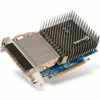
Though a modest offering, the card looks like a monster thanks to it's bulky passive cooler. It's certainly ugly, but it has a specific job to do, where looks don't matter.
The GPU core is located below the bottom left-hand side of the bulkiest part of the cooler, right beside the angle change. The core is covered with a copper heatsink with heat pipes that extend through the rest of the massive cooler and run up and around into the array of fins. There is another heat pipe that extends towards the top right-hand corner of the cooler as well. Towards the back end of the card, heat runs along all of the fins and meets it's ultimate death outside the back of your case. It's a solid cooler design, though it still seems bulkier than it should have to be.
While the card looks enormous from the front, the back shows how modest it really is. The SLI bridge connector is protected by a small blue covering, a nice added touch.
With introductions finally out of the way, we can put this card to the ultimate test... gaming benchmarks!
Regardless of what performance-related part we are reviewing, there are a few conditions that we meet prior to benchmarking:
Below is all of the information regarding our testing machine. Links lead to our review of said product.
Because video drivers are constantly improved, we always download the latest version from the respective manufacturers website. In this case, NVIDIA released new drivers for both XP and Vista towards the end of July, which we promptly installed before testing.
3D Mark 2006 is our only automated benchmark, which we choose to include simply because it's the most popular GPU benchmark available. Aside from that, we also include five games which each are played manually on three different resolutions. Because of variances in gameplay that can occur during manual play-throughs, results will not scale as they would when using a time demo. We choose to not include time demos because they rely more on the CPU than they do the GPU.
FRAPS 2.90 is used for all FPS capturing due to it's proven accuracy. Because the 8600GTS is not a high-end product, the majority of consumers purchasing the card shouldn't expect to play games above 1280x1024 resolution, unless it's an older title. We've included 1600x1200 and 1920x1200 to show the stark declines in average FPS' and also to have a hearty chuckle.
Lastly, we haven't reviewed many GPUs in the past, so we are comparing the 8600GTS to Sparkle's 8500GT card. Once we accrue more GPUs for review, our graphs will appear more robust.
Although 3D Mark's relevance on GPU performance is often disputed, it scales well with faster GPUs (and CPUs), which is why we choose to include it. It's a cheap and easy way to compare one or more graphic cards to one another.

Note that one reason the 3D Marks are high as it is, is thanks to the fact that the QX6850 CPU is used for testing. By comparison, swapping the 8600GTS with an 8800GTX will push the score to 12,000 and beyond. The CPU itself is responsible for more than half the score. One thing is clear though, the 8600GTS has a lot more pushing power than the 8500GT.
For Half-Life 2: Episode 1, I chose my favorite level, ep1_c17_02a. The level starts you off in a dimly lit hallway and you need to make it through to the roof where an airship is trying to gun you down. It's a fun level, and really shows off HDR.

The game performed quite well up until 1600x1200, although some subtle flickering became evident throughout the level. At 1920x1200, it's even more common, despite still being 60+. Surprisingly though, 1920x1200 was still quite playable, and the downsides seen through the play through probably wouldn't be enough to keep people away, if that's the resolution they wanted to play with.
In S.T.A.L.K.E.R., I chose a run-through with the thumb drive mission, which occurs near the beginning of the game. Through it, there are many people who die and you get to leave with a thumb drive. Does it get much better?

There are few games that remain completely playable at lower average FPS... STALKER is not one of them. In fact, I have a difficult enough time killing people in this game with an 8800GTX, so getting down to 15FPS is a complete joke. The game ran fine at 1280x1024 on both cards, but anything higher should be avoided at all costs.
SupCom is yet another game that I could probably play better blindfolded, but man, is it pretty to look at. Considering this is the game included with the card, it could not have been left out. The level used is Finn's Revenge, which we have a saved game for. When loaded, it allows us about five minutes before the match ends, thanks to the huge army we've built up.

While STALKER is a game that requires higher FPS to enjoy, SupCom ran surprisingly well even at 1920x1200. While 19FPS is nothing to brag about, it ran more than smooth enough for me to put up with it. If I were stuck with this card, I would run the game at that resolution without hesitation. I didn't experience any blatantly obvious lag at all.
In our NFS: Carbon test, we played through the first normal race when choosing one through the Quick Race mode. Two choices of car are given, an upcoming Chevrolet Camaro and a Koenigsegg CCX. I think it's obvious which one I chose.

Racing games are notorious for running sluggish with slow video cards, but NFS remains surprisingly playable even at even 15FPS, although 20+ is much appreciated. I'm impressed that the card mustered 40FPS at 1280x1024... it was a very smooth play-through.
CoD2 is close to being two years old, but it still pushes current GPUs enough to warrant it's inclusion. This game is one that can be played at lower FPS, and that was the case here. The level chosen here was Demolition, which begins immediately after the training level.

The game was playable at 1920x1200 but the lag was clear as day... not too many people would be willing to play at this setting. However, 1600x1200 and lower ran quite well, it was an impressive showing overall.
When purchasing a lower-end card, overclocking becomes far more appealing. Let's face it, overclocking an 8800GTX, for most people, is completely needless, as it's already an incredible card. Luckily, Gigabyte's 8600GTS did overclock a fair amount, although not on the memory. The stock clock is 675MHz, which we overclocked to 740MHz without breaking a sweat. Any higher is unstable though. 750MHz crashes quite promptly, but 740MHz passes ten loops of 3D Mark 2006 and also quick manual play-throughs of today's included games.
The stock memory speed is 1GHz, which we managed to overclock to 1.04GHz. Hardly impressive, but at least the nice GPU core boost makes up for the lackluster overclocking here.
So what about the passive cooler? I don't have other 8600GTS cards to compare to, but the cooling ability here is also less-than-stellar, but again, it's not meant to be. At idle, the core settled in at 54°C and at maximum it hit 85°C. That's not too cool, but it would suffice in your silent PC. By comparison, the 8800GTX card on hand idles at over 80°C.
When I first installed the 8600GTS, I wasn't expecting to be blown away. As I walk away from this review, I can't say I am impressed by any real stretch, nor am I too disappointed. There are a few things we need to take into consideration... what's the main purpose of this card and how does it's price compare to others on the market?
Gigabyte's card retails for an average of $180, which is right in line with most of the competition. Some others are more expensive, some are less expensive. The lesser expensive ones do not include a passive cooler and come sans a game. So essentially what your extra $20 gives you, is Supreme Commander and complete silence. Not a bad deal when you look at it this way.
So from that standpoint, Gigabyte's card is a good value, especially if you are planning to play SupCom and don't currently own a copy. It's a great game, I can assure you. I just happen to be horrible at it. But what about other cards out there? 7900GS cards as I mentioned earlier are quite comparable, although all of the ones I perused include a fan and also don't offer any free game. If you don't care about a game and don't mind a slight performance decrease, the 7900GS won't really let you down. It doesn't include DX10 support, but who at this point in time needs it?
At this price range, it's really up to you to decide what is worth it to you. Both 7900GS and ATI X1950 Pro cards offer similar performance for slightly less money, but don't include a passive cooler or a game. Any of those cards would be good choices... it just all depends in what you are looking for. If you are interested in a solid mid-range offering that also happens to be dead silent, Gigabyte's 8600GTS will not let you down.
If you have a comment you wish to make on this review, feel free to head on into our forums! There is no need to register in order to reply to such threads.

Copyright © 2005-2008 Techgage Networks Inc. - All Rights Reserved.